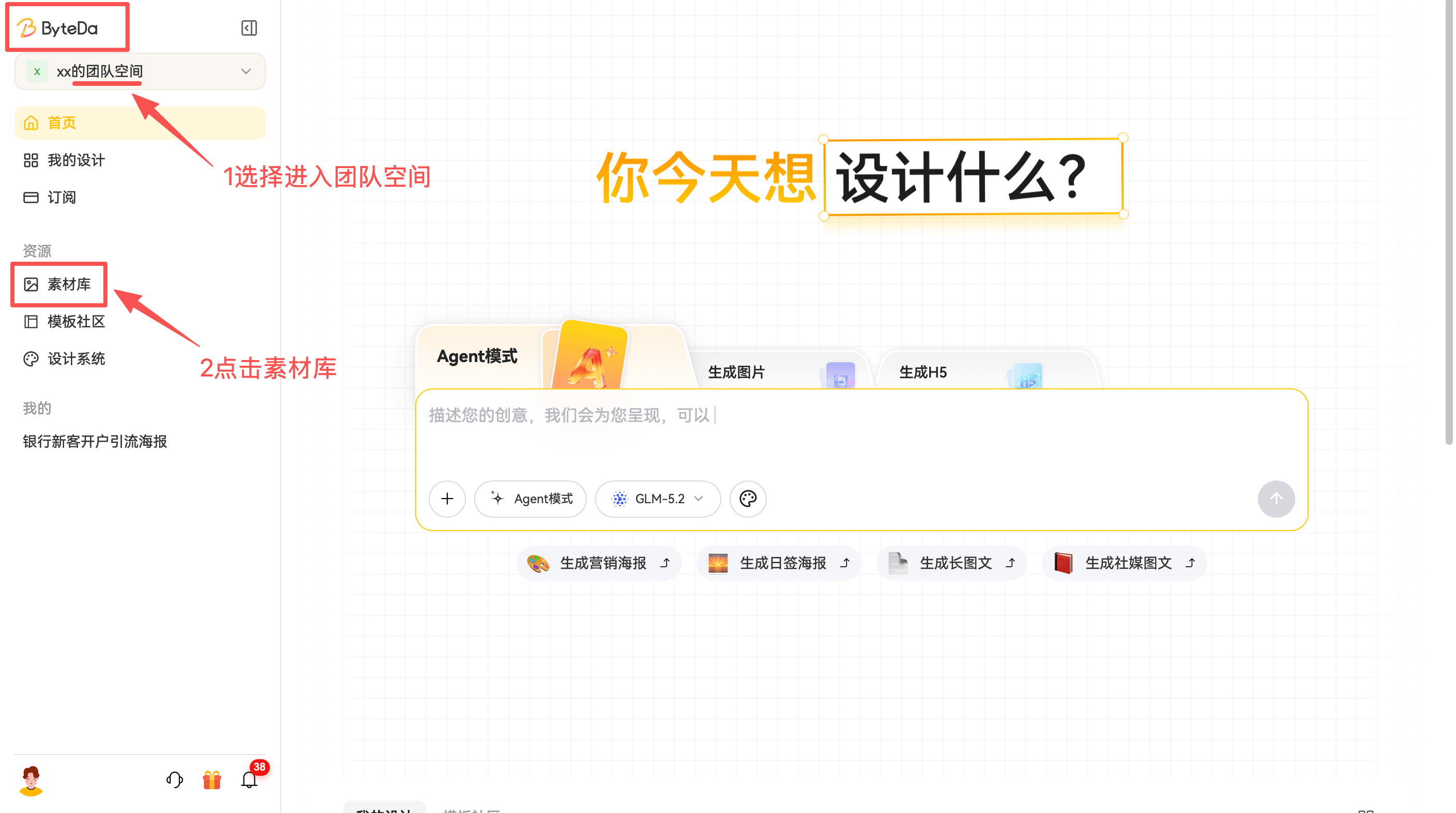
Team Space
1. What Is Team Space?
Team Space is a storage area for working files in multi-user enterprise collaboration scenarios. It helps users sync design work during collaboration and organize finished assets after the work is done.
2. How to Add Content in Enterprise
2.1 Add Assets
Supported image uploads: JPG, PNG, WEBP
Supported file uploads: Word, Excel, PDF
2.2 Upload Path
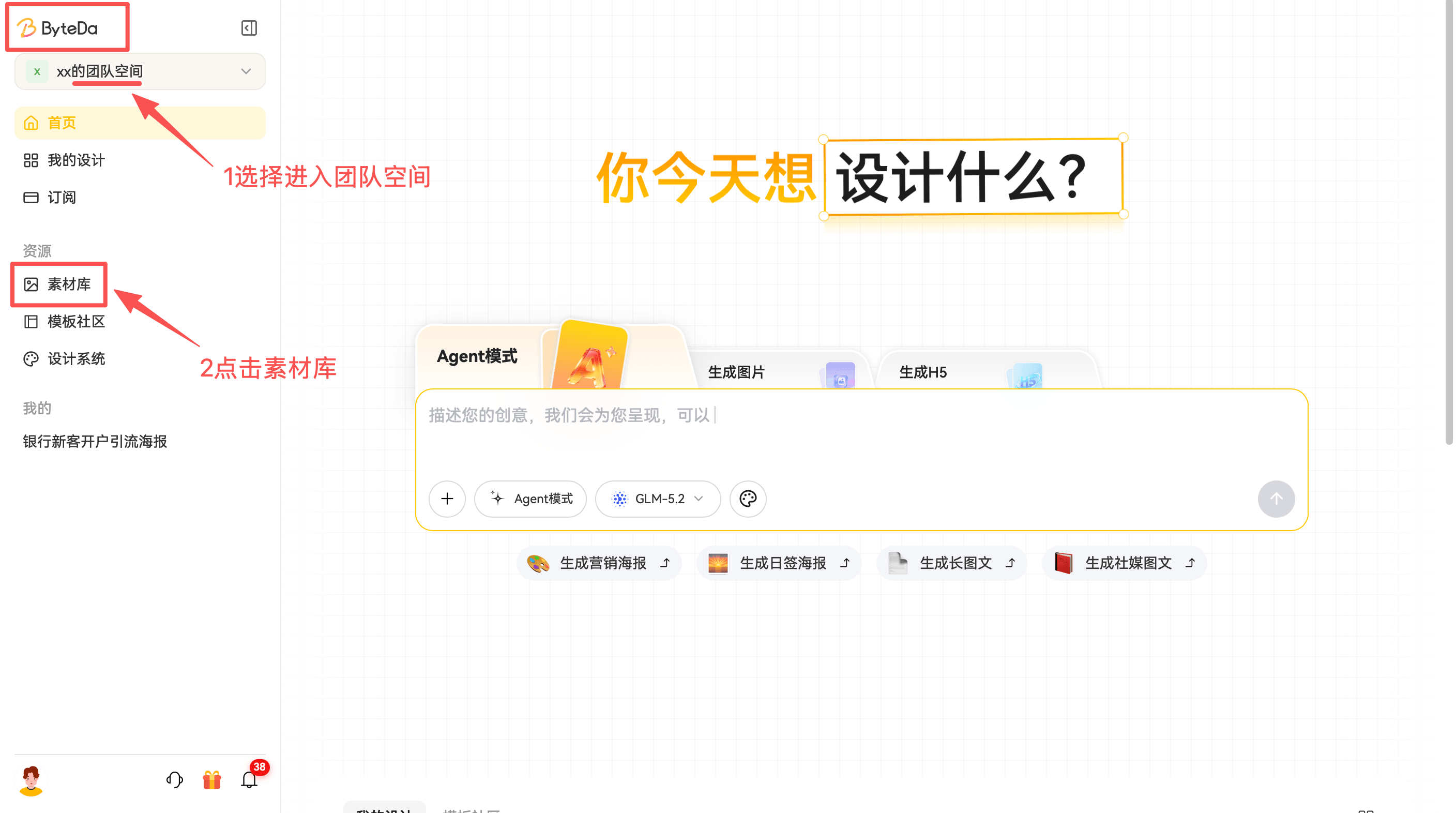
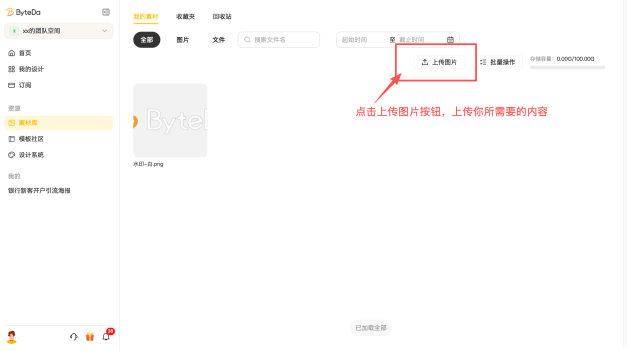
Path: Team Space -> Asset Library -> Upload Image
3.2.3 Team Space Content
If your space contains a lot of assets, you can search for them.
Path: Team Space -> Asset Library -> Search by file name
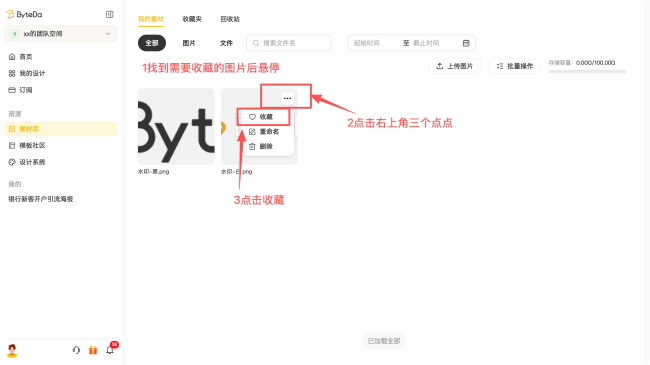
If you need to reuse the same asset often, you can favorite it.
Path: Team Space -> Asset Library -> hover over an image -> click the three dots in the upper right -> click Favorite