Member Management
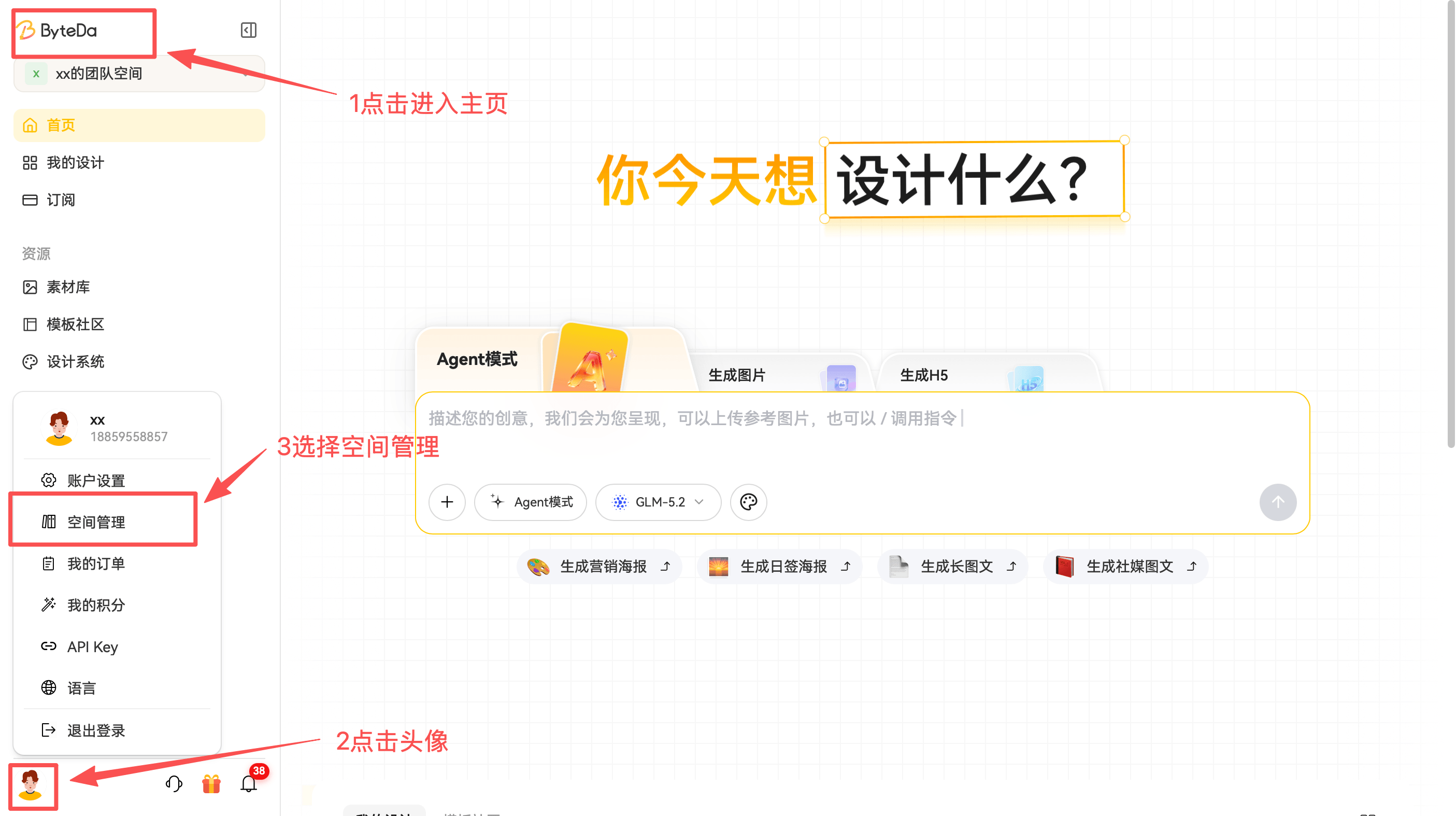
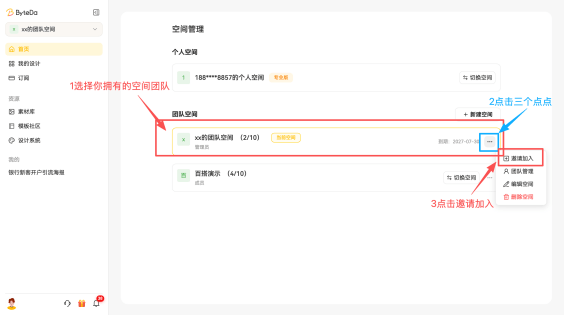
1. Invite Enterprise Members
Path: Home page -> click your avatar -> Space Management -> choose the team space you own -> click the three dots on the right -> Invite to Join -> send the link to your teammate

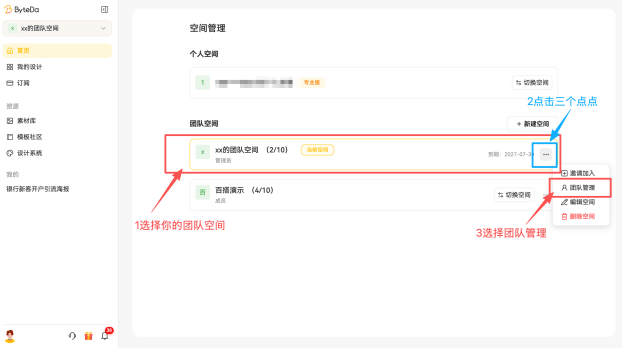
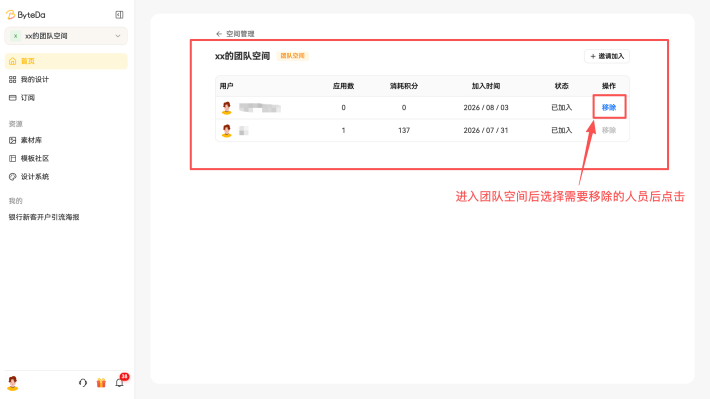
2. Remove Enterprise Members
Path: Home page -> click your avatar -> Space Management -> choose the team space you own -> click the three dots on the right -> Team Management -> Remove

3. Maximum Number of Enterprise Members
The default maximum number of members in an account is the number confirmed at the time of purchase. If you need more enterprise members, click the Enterprise WeChat Support button in the lower left to contact support and ask about purchase options.
